So, you have installed Immich and are now realizing that it needs a reverse proxy or another method to add some security to your instance. OpenLiteSpeed to the rescue! This tutorial will help you configure OpenLiteSpeed (OLS) with your Immich app.
Immich is a fantastic Google Photos alternative if you are willing to self-host. While LightSpeed is “drop-in replacement for Apache,” OLS is not. OLS is from Mars; Apache is from Venus.
You may be wondering, if OLS is so quirky, then why use it at all? The answer is simple: speed, plus the fact that it is free. OLS supports HTTP/3, which will speed up our Immich instance immensely. For the record, Nginx also supports HTTP/3. Apache reportedly has an HTTP/3 module in development, but I can’t find the beta version anywhere at the time of writing.
Another reason to use OLS is because CyberPanel, a companion web hosting panel, is free (with frustrating adverts). It’s excellent for hosting a few websites free of charge. Not only will you get the speed of HTTP/3, but also a free SSL certificate, which is required for HTTP/3.
To make things a bit easier, you can create your website’s config files (vhost) using your hosting panel and install the corresponding SSL certificate using your (sub)domain. This way, we don’t have to create the website’s vhost configuration file from scratch.
We have two methods to configure OLS: the OLS admin control panel or by editing the config files directly. OLS has a dedicated admin panel, which you will find hidden on port 7080, i.e., https://myserver.mydomain.com:7080. The username should be admin. If you have forgotten your password, SSH into your server and issue
OLS forgotten password
/usr/local/lsws/admin/misc/admpass.sh
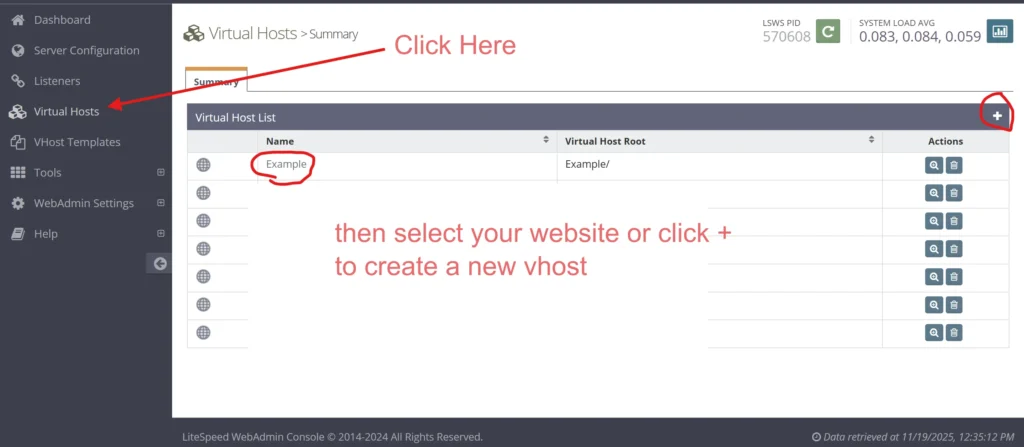
After you log in, click on Virtual Hosts. If you are starting from scratch, click on the + sign to create a new vhost. Otherwise, find and click on the website that you have already created for your Immich app.
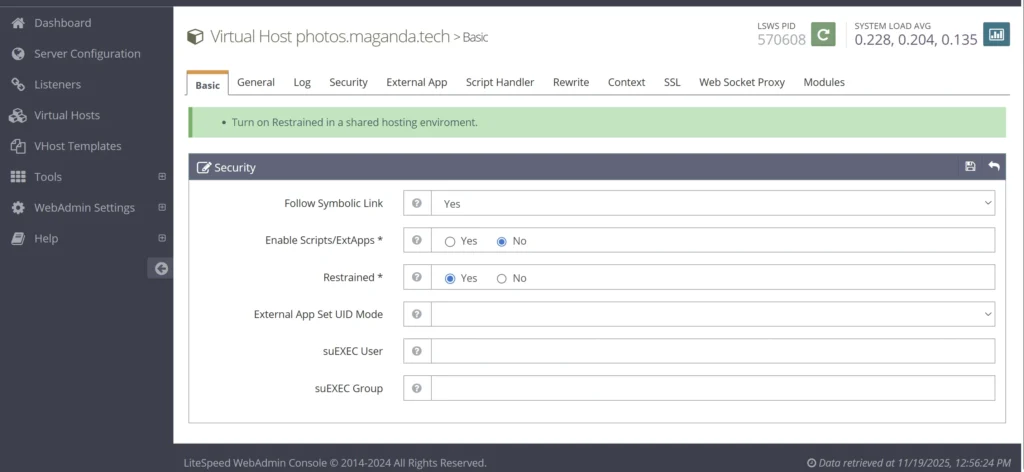
Under the Basic tab, select NO to Enable Scripts/ExtApps, and then select YES to Restrained.
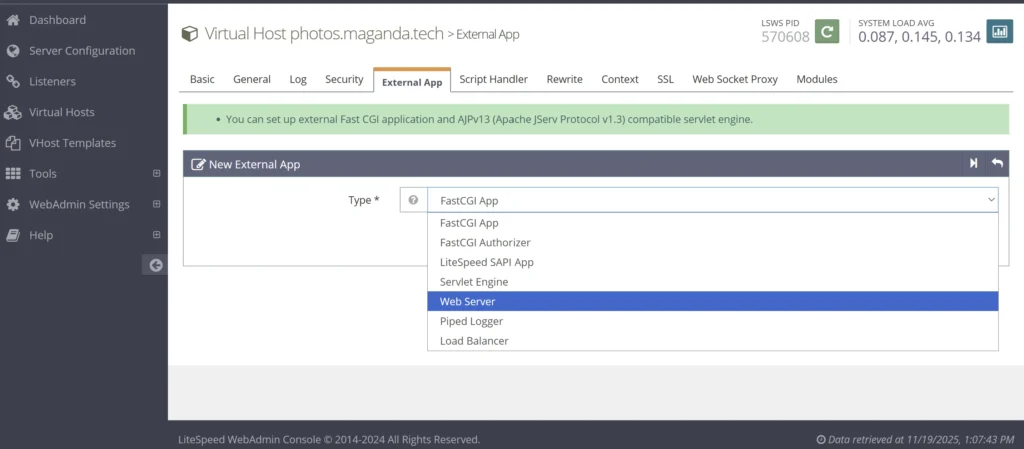
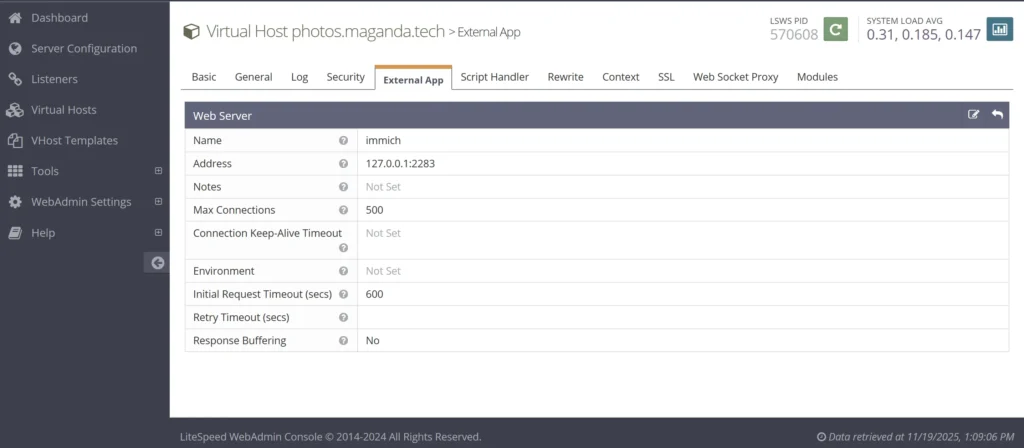
Next, select External App and select Web Server
Add 127.0.0.1:2283 for the web server address and provide your web server a name. You can use the information listed below. Click save.
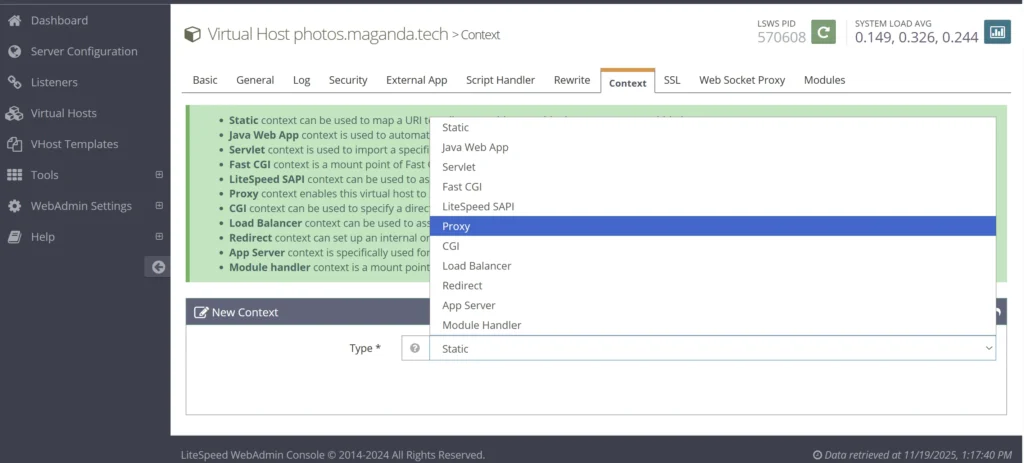
Click on Context, then create a new Proxy —click on Next
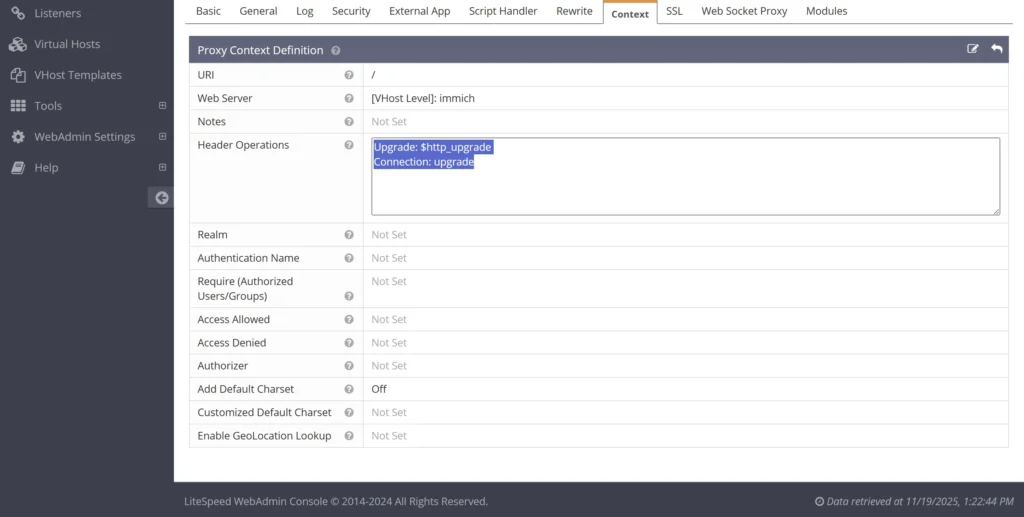
Enter / for the URL,
Upgrade: $http_upgrade
Connection: upgrade
For the Header operations. Click save.
Click on Listeners, then add your virtual host to each listener type.
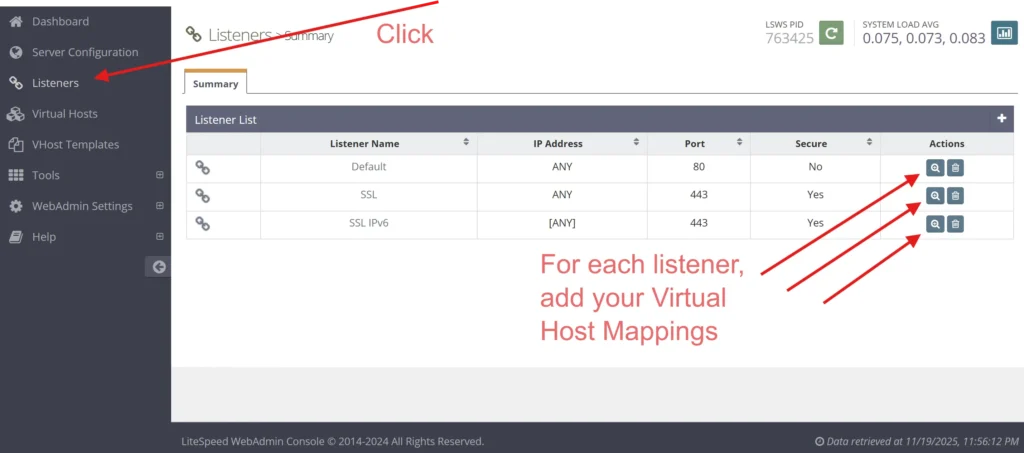
Our Immich virtual host would need to be added to all three listener types in the above example.
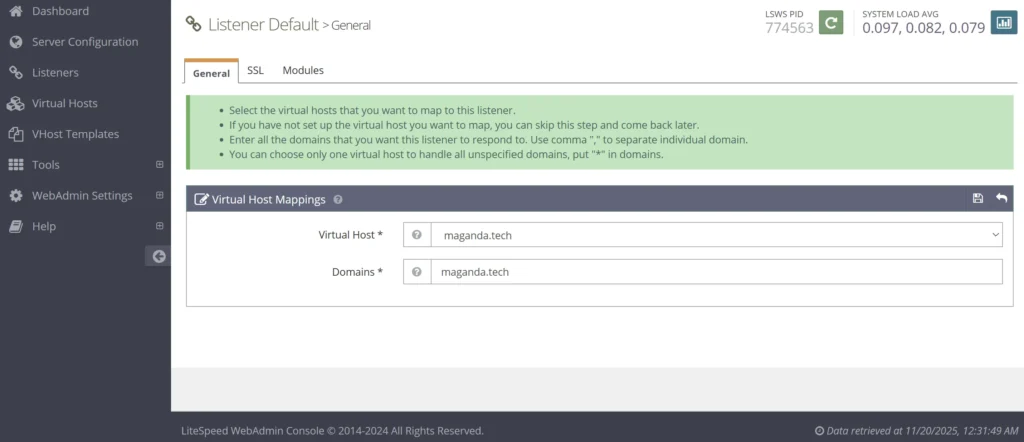
Finally, you need to restart the OpenLiteSpeed server. Look for the big green button at the top and restart OLS. That’s it!
Another word about listeners. If you’re a keen observer, you’ve likely noticed that my configuration lacks the IPV6 listener for the default port. If your system doesn’t have IPV6, then you probably only have two listeners. If you are using IPV6, you should generally have 4 listeners. Even your mail servers need IPV6. We can see here that CyberPanel seemed to forget my IPV6 for the default port. Is it a bug or a feature? I had to add this manually.
Here is the final vhost config for OLS. I assume that you can simply use this config instead of going through all of the above steps with the OLS admin panel… but I don’t know for sure. Please let me know in the comments what you think!
docRoot                   $VH_ROOT/public_html
vhDomain                  $VH_NAME
vhAliases                 www.$VH_NAME
adminEmails               redacted@yourmomma.com
enableGzip                1
enableIpGeo               1

errorlog $VH_ROOT/logs/$VH_NAME.error_log {
  useServer               0
  logLevel                WARN
  rollingSize             10M
}

accesslog $VH_ROOT/logs/$VH_NAME.access_log {
  useServer               0
  logFormat               "%h %l %u %t "%r" %>s %b "%{Referer}i" "%{User-Agent}i""
  logHeaders              5
  rollingSize             10M
  keepDays                10
  compressArchive         1
}

index  {
  useServer               0
  indexFiles              index.php, index.html
}

extprocessor immich {
  type                    proxy
  address                 127.0.0.1:2283
  maxConns                500
  initTimeout             600
  retryTimeout            0
  respBuffer              0
}

context / {
  type                    proxy
  handler                 immich
  extraHeaders            <<<END_extraHeaders
Upgrade: $http_upgrade
Connection: upgrade
  END_extraHeaders


  addDefaultCharset       off
}

context /.well-known/acme-challenge {
  location                /usr/local/lsws/Example/html/.well-known/acme-challenge
  allowBrowse             1

  rewrite  {
    enable                0
  }
  addDefaultCharset       off
}

rewrite  {
  enable                  1
  autoLoadHtaccess        1
}

vhssl  {
  keyFile                 /etc/letsencrypt/live/redacted                /etc/letsencrypt/live/redacted/fullchain.pem
  certChain               1
  enableECDHE             1
  renegProtection         1
  sslSessionCache         1
  enableSpdy              15
  enableStapling          1
  ocspRespMaxAge          86400
}

websocket / {
  address                 127.0.0.1:2283
}

module cache {
storagePath /usr/local/lsws/cachedata/$VH_NAME
}
Final Thoughts
This is a lot of work for a simple reverse proxy. CloudPanel has a built-in reverse proxy, and so does AApanel, my favorite open-source hosting panel. For the record, I have given up on CyberPanel. The project appears to be all but abandoned, and there are too many adverts on the admin panel to make it usable or any bit enjoyable.