When you’re overseas and require access to your banking app, discovering you are blocked out can be quite distressing, if not traumatic.
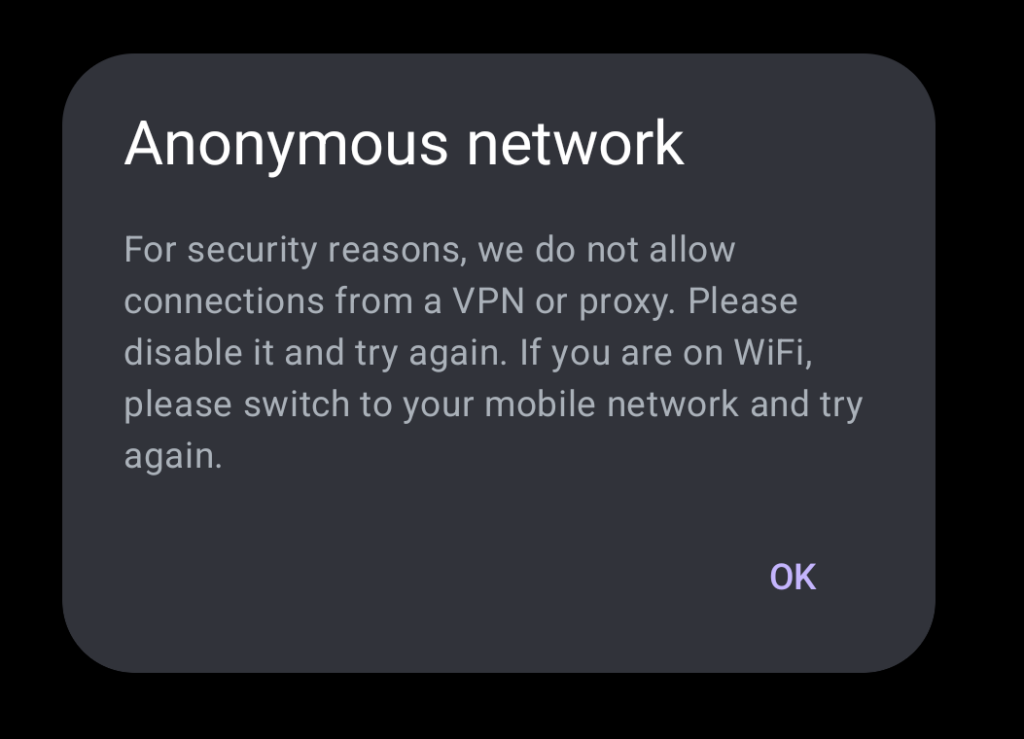
Error:
Anonymous network For security reasons, we do not allow connections from a VPN or proxy. Please disable it and try again. If you are on WiFi, please switch to your mobile network and try again.
How to get Around your Bank’s VPN Block
I will offer three ways that you may access your account abroad.
1) First, contact your bank and tell them that you are abroad. They may be able to unblock access to your account. This step is crucial. If you try to log in using the methods below without first contacting your bank, you may lock yourself out.
2) If you have your SIM from your country, turn off Wi-Fi and try to use mobile data from your home-based mobile provider. You may have to turn on the roaming feature:
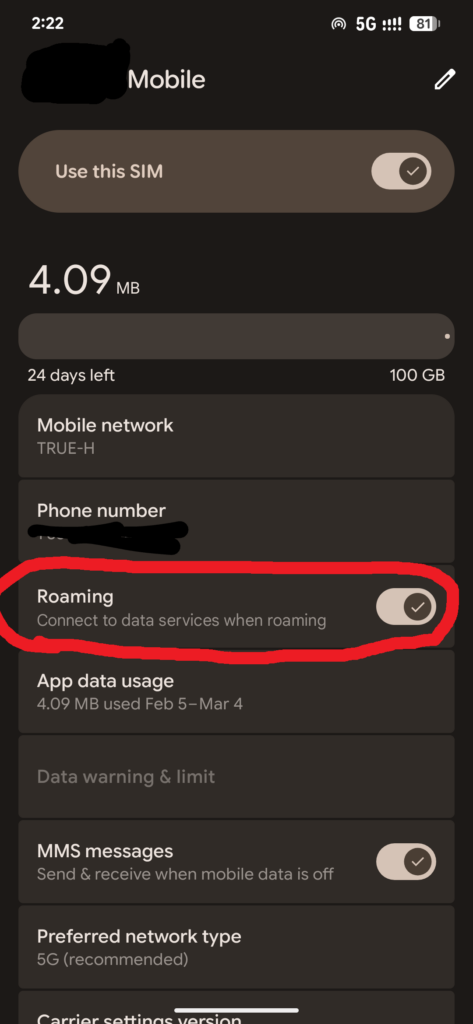
To use this feature, your carrier must allow international roaming, which is often an add-on with additional charges.
3) Use your favorite VPN and give it another shot! I often recommend NordVPN. Or you can try ProtonVPN for free.
Some banking apps are excellent at detecting VPNs and proxies. You can sometimes bypass their firewalls by using a residential proxy located in your home country. I would recommend such usage only for extreme emergencies. Today, I successfully used my banking app with this method. It works, but not 100 percent. I had to try three different IP addresses before I was able to log into my banking app. Third time’s the charm!
I don’t know of any VPSs that offer residential IP addresses, only dedicated IP addresses from a data center.
However, never fear. There are multiple websites that offer residential IPs for rent.
(I do not get a commission from the following links):
Node Maven is where I was able to obtain a residential IP for around $6. I then used an Android proxy client to establish a connection to the IP. The Android app was called Nore Proxy.
Best of luck with your endeavors! A few caveats : NEVER allow an app to install a certificate in order to use a proxy or VPN. Don’t change your email or phone number on your banking app while abroad. You may, and probably will, get your account frozen. This phenomenon actually happened to me once. I changed my phone number while in SE Asia, which resulted in an immediate lockout. I eventually had to fly back to the USA and go meet with a bank manager in person to get access to my money! I was flagged as a hacker, I guess.
Fun times. He who has the gold makes the rules!